Feb
2009

How to add a site to Safari’s Top Sites

I love the Top Sites feature of Safari 4 Beta but what I wanted to do was to arrange this to show my favourite and most visited sites. After arranging the ones in the window and pinning the ones I want at the top I started deleting the ones I did not want there in order to find the ones I do.

I thought there must be a better way so did a search on various sites which led me to this. post on macosxhints.com. You can add sites to Top sites by doing the following :

  1. Create a new window and click on the Top Sites icon if they are not already showing
  2. Click the Edit button
  3. Create a new window and open the site you want
  4. Click and hold on the Favicon / Globe and drag that on top of your Top Sites window

You can also do this by dragging a Bookmark too though it does not seem to work with RSS bookmarks.

Cool eh?

EDIT
It seems that once you quit Safari it loses this information πŸ™

Feb
2009

Xtand has arrived

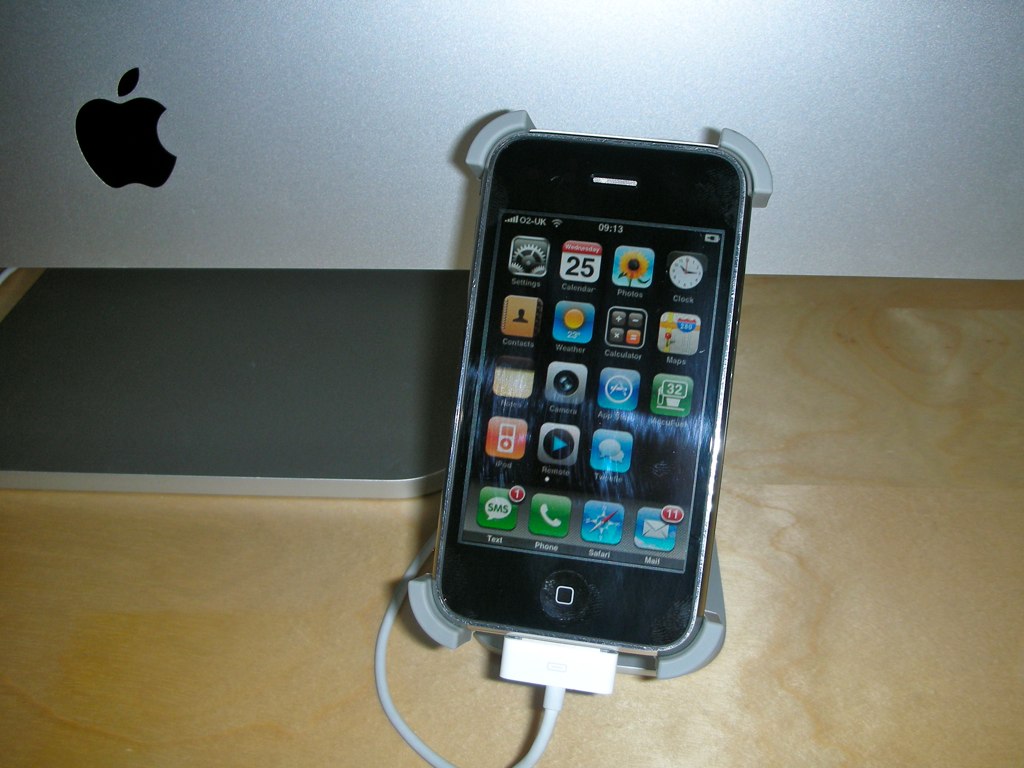
As mentioned a few days ago I ordered a Xtand for my iPhone so it can sit proudly next to my Aluminium iMac 24″. Today it arrived πŸ˜€

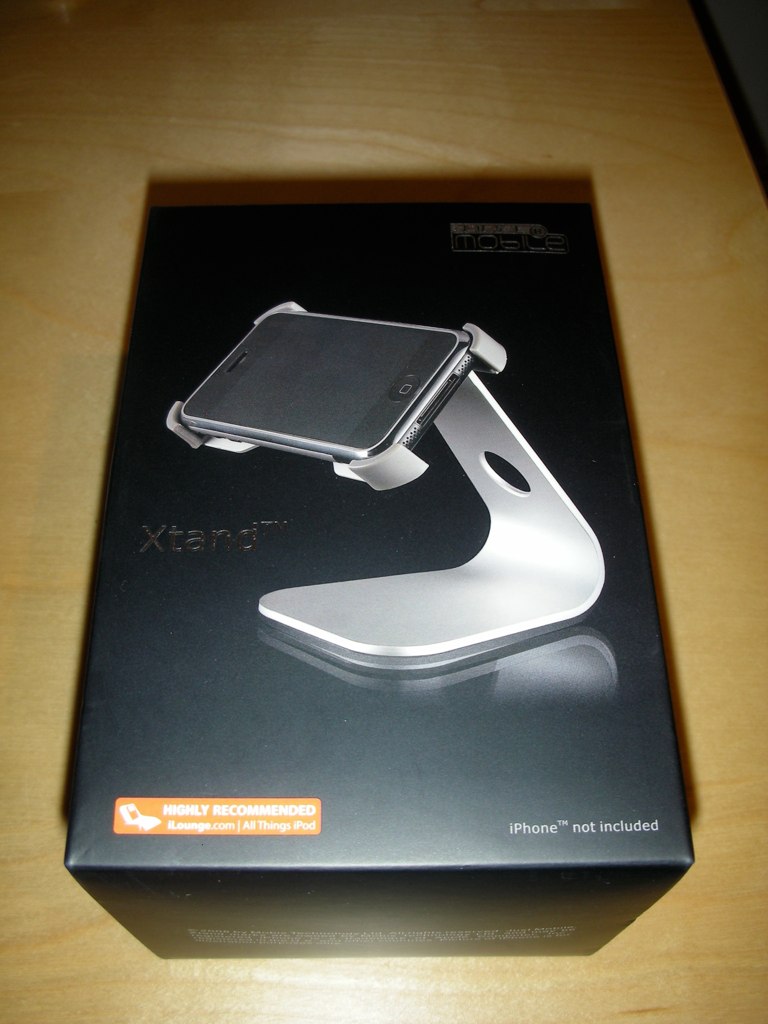
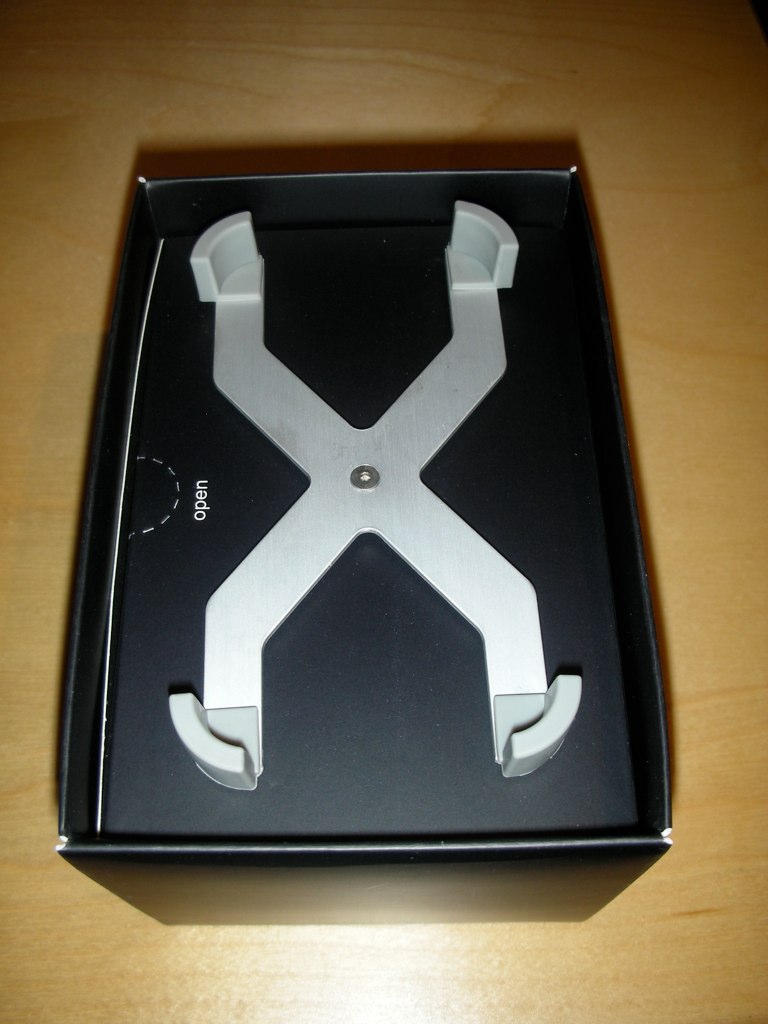
It comes in a box similar to the iPhone (Image 1). Upon opening the holder part of the Xtand is Β visible and screwed into the top of an inner box (image 2). Once removed from the box you need to screw the holder and the stand part together. Also inside the box are 4 further rubber corners, which are labelled for use with an iPhone 2G, I assume that means second generation iPhone πŸ˜‰

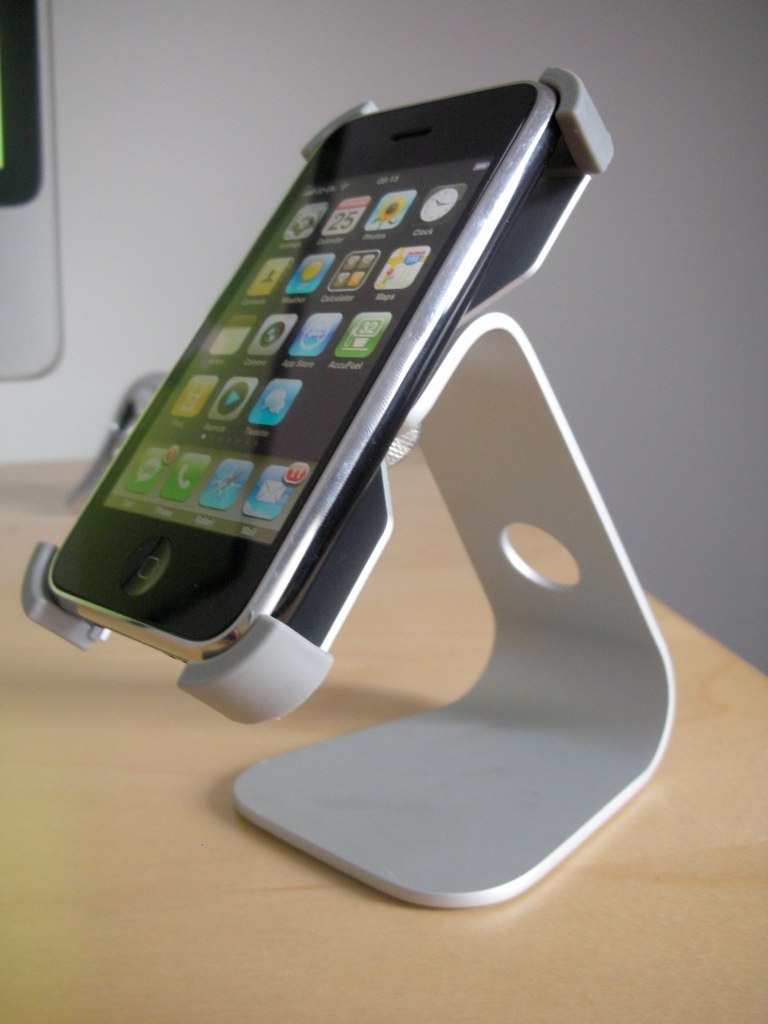
The iPhone sits snug in the holder (Image 3) and is very easy to remove once in though I do find that there is a significant amount of resistance, however this is probably a good thing in order for it to prevent your iPhone from falling out :p

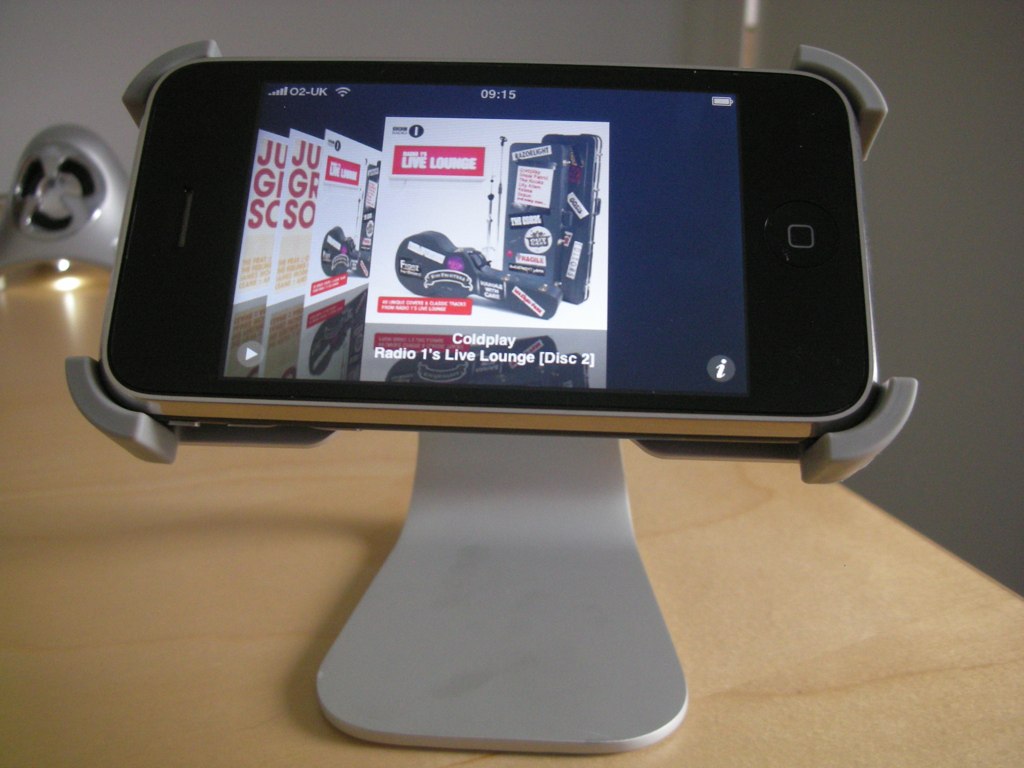
It also looks very good when on rotated so that the iPhone is horiontally, I have show the iPod coverflow operation in use (image 5).

Personally, I think this fits in excellently with my iMac (Image 5) and I am very happy with the way it looks. Let me know what you think πŸ˜‰

I purchased it from Play.com priced at Β£17.99 with free delivery!

Feb
2009

Safari 4 Beta

As nearly every Mac user in the world will know Apple released Safari 4 Beta.

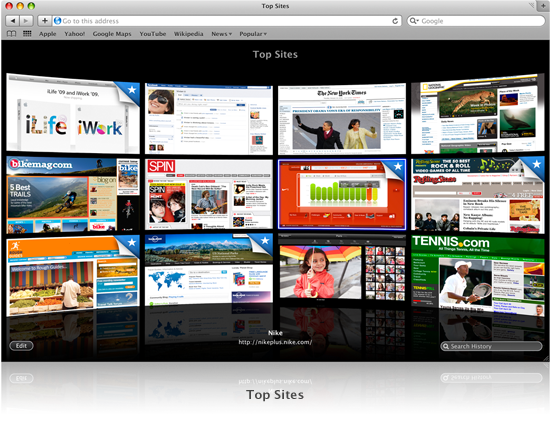
The first thing you notice when you launch Safari 4 Beta is the Top Sites page, this page shows you a grid of thumbnails based on the top sites you have recently visited allowing you to quickly and easily return to that site.

topsites

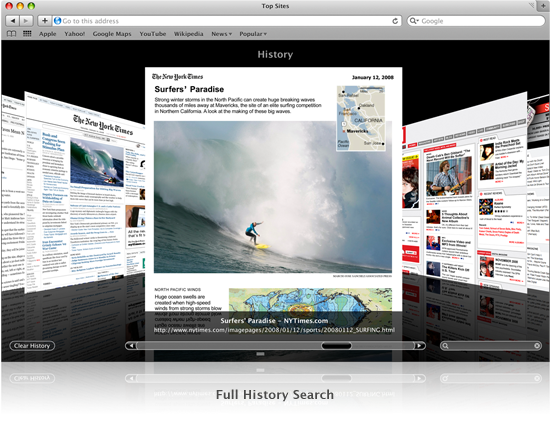
Clicking on the Edit button enables you to remove the site thumbnail, pin it into position and of to delete the site. On this page you can also click to search your history. Clicking on the search history area presents you with the following screen

history

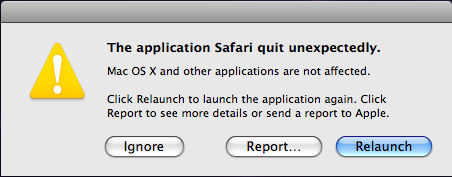
Here you can clear your history, scan through the pages or enter a search string. When you enter a search string it will show pages from your history that it contains the text you entered. Oh dear, my first CRASH of Safari 4 Beta.

picture-8

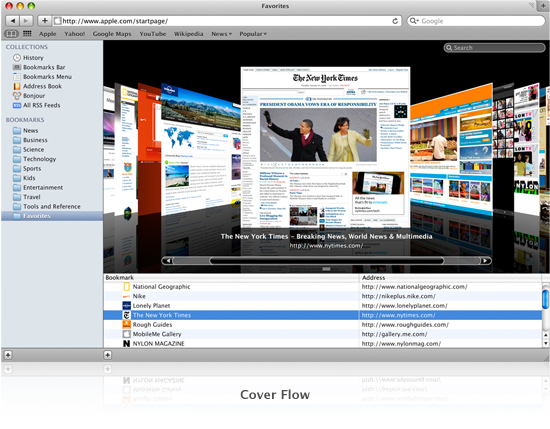
This happened as I was scanning the found results of a search. One other cool feature of Safari 4 Beta is the Bookmark cover flow. Simply clicking on the bookmarks icon in the corner presents you with a cover flow of your bookmarked sites.

coverflow

Ok, so this just looks like eye candy but it really does improve the way you use the browser – well in my case anyway. Apple state that Safari 4 Beta has 150 features, here are the new ones :

As listed above Top Sites, Cover Flow, Full History Search and then we have

Tabs on Top
This moves the browser tabs to the upper most part of the Safari window. This is a great place to put it as it gives you much more real estate. I do seem to have one issue with this though, from time to time as I try to click between Tabs I seem to drag the window down instead of moving to the selected tab. Probably just me though πŸ˜‰

Nitro Engine
Apple claim that the new engine executes Javascript 30 times faster than IE 7 and more than 3 times faster than Firefox. Along with 3 x faster loading of html pages than the same two browsers.

Windows Native Look and Feel
I really do not care about this :p

Developer Tools
These tools are designed to allow developers toΒ examine the structure of a page, debug JavaScript, optimize performance and compatibility, inspect offline databases, or test experimental pieces of code on the fly. Got to say this sounds cool and something I will look into in more detail.

Full Page Zoom
Safari scales images and graphics as you zoom in and keeps text razor sharp while preserving the page layout perfectly.

Smart Address Field
As you type in the URL you will see the top hit and best matches based on your browsing history and bookmark collections each in their own easy to read section. I have to say this works incredibly well.

Smart Search Field
This utilises Google Suggest and your recent search history. Again this works incredibly well in my limited testing.

My comments
Although I have only been using this version of Safari for a couple of hours it seems to blaze along but from time to time it does have issues. Some scripts are not compatible for example using the add link feature in WordPress causes the top half of the window to grey out when the pop up dialog box appears, however you cannot enter anything nor do anything. Occasional rainbow wheel, and as already mentioned crashing.

Personally, I am loving this update and look forward to the finished article πŸ™‚

Feb
2009

Hmm, Twitter updates

I use the excellent Twitter Tools in order to get my Tweets from Twitter. One of the options is to post a new blog post with my daily tweets.

picture-2

At first I thought this was a great idea but today when I look at my blog I now think it looks horrible. So as of now I have disabled this feature, though might reintroduce it – πŸ˜‰ who knows!

Feb
2009

Twitter Updates for 2009-02-23

  • @purplelime I like it! in reply to purplelime #
  • @tomacintosh me too. Macbook Pro 15″. Going to wait until next update I reckon. in reply to tomacintosh #
  • Managed to push it back on. Seems solid but better get it glued in place. #
  • Aww man. Silence switch just fell off iPhone. #
  • Get your 25 seconds of fame with Tweetube for Mac OS X http://tinyurl.com/d3kp7o (via @TUAW) tempted? I’m not πŸ˜‰ in reply to TUAW #
  • @purplelime Cool, that’s the one I have ordered. Will post pics when it arrives. Want a chat one when available but not sure which yet πŸ™‚ in reply to purplelime #
  • Is hoping Everton will beat the Mags. ξ„…ξ€˜ #
  • @purplelime Always a bonus when you discover money you were not expecting sitting in your account πŸ™‚ in reply to purplelime #
  • Think I will use iNove WordPress theme for my blog. Now linked to my profile. #
  • Going to sit down and watch last night’s match of the day in peace and quiet! Well apart from @tweetdeck chirp πŸ˜‰ #
  • @tomacintosh I removed them on one theme but the license states they must be left in tact, shame as I liked the theme. in reply to tomacintosh #
  • Finding a good WordPress theme is a lot harder than I expected. Sponsored links, ie links to sites other than the creator seem to be common. #
  • Morning, trying out different wordpress themes for my new site. #